BusParking
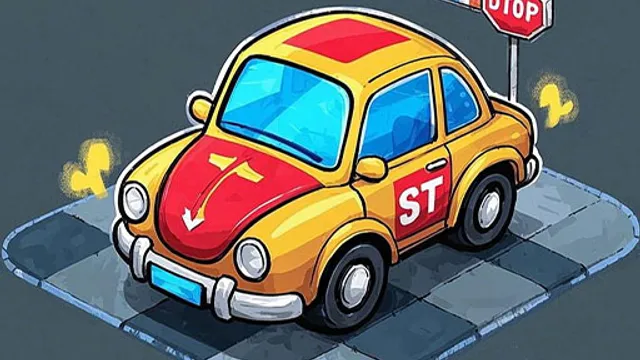
"BusParking" is a straightforward browser driving simulator focused entirely on precision rather than speed. Unlike many games in the hypercasual genre that rely on colorful distractions, this title stands out by implementing a dedicated lens switching mechanic. You can press the keyboard key C to toggle different camera views, which fundamentally changes how you approach tight corners.
The core loop involves steering a bus into designated parking spots without hitting obstacles. You press W to accelerate and S to brake, while A and D handle the steering for left and right turns. One distinct feature is the ability to toggle between forward and backward movement by pressing R, which you will use constantly to adjust your position. Every turn requires a decision on whether to inch forward using W or reverse using R to realign your bus within the white lines. There are no complex menus or upgrades; you just drive, park, and repeat until you get it right.
This game is best suited for casual players of any age who want a low-stress activity to kill ten minutes in the browser. It requires patience rather than reflexes, making it accessible for kids yet challenging enough for adults. Tip: In the first minute, focus entirely on mastering the R key to switch directions smoothly because reversing is often more useful than accelerating forward.
How to Play
Keyboard key c to switch lenses Keyboard key r switches forward backward Keyboard button w come on Keyboard key s brake Turn left on keyboard key a Turn right on keyboard key d Press the ESC key on the keyboard to pause the game
FAQ
- How do I change the camera view?
- Press the C key to switch lenses.
- What does the R key do?
- It toggles between forward and backward gears.
- How do I stop the bus?
- Press the S key to apply the brakes.
Similar Games
Antistress relaxation toys Mini Games

Balloon Color Matching

Floppy Football

FruitBasket
Candy Strike

Fruit Clash

Animal Lovers

Pets Roll: Clicker
Be The Bee
More Hypercasual Games
Flappy Bird Spinning oia oia Cat

FruitSwipe

Color Helix: Spin It
Super Sprunki Run

Trump Wobble Walk Challenge
Classy Pricness Dressup and Makeup

Toca Life World
Knife and Hit

Retro Sprunki

Geometry Dash BeatBox

Orbit Loop Revolution

Clean health Center